Speed reading apps all promise the same thing: get through more text in less time. But once you look past the landing pages, they differ wildly on the things that actually matter — what files they open, whether your documents get uploaded to someone’s server, what’s free versus paywalled, and how readable the output is at 500+ words per minute.
We built HotGato because we were frustrated with the options. So, yes, we’re biased. But we also use the competition, and we think the comparison below is honest about where each one shines.
The contenders
- HotGato — free, open-source, in-browser RSVP reader with extensions for Chrome, Firefox and LibreOffice.
- Spreeder — one of the oldest web speed readers, with a free basic reader and paid training programs.
- Swiftread — a popular Chrome extension for speed reading web pages, with a paid Pro tier.
- Readsy — a free web reader built on Spritz-style RSVP.
- Outread — a polished Apple-platform app built around guided highlighting.
- AccelaReader — a bare-bones, paste-and-go RSVP page.
Head-to-head comparison
| Feature | HotGato | Spreeder | Swiftread | Readsy | Outread | AccelaReader |
|---|---|---|---|---|---|---|
| Price for core features | Free | Free basic, paid upgrades | Free basic, paid Pro | Free | Subscription | Free |
| Open source | Yes | No | No | No | No | No |
| Documents stay on your device | Yes, fully client-side | Not advertised | Not advertised | Not advertised | On-device app | Paste-in text |
| Works offline | Yes | Not advertised | Not advertised | Not advertised | Yes (app) | Not advertised |
| PDF / EPUB / DOCX import | All three, plus RTF, ODT, HTML, MD, TXT | Limited / paid tiers | Limited / Pro tier | Some formats | Some formats | Paste only |
| Chunk size (words at a time) | Adjustable | Adjustable | Adjustable | Single word | Guided highlighting | Adjustable |
| Punctuation-aware pauses | Adjustable | Basic | Yes | Yes | N/A | Not advertised |
| Slows down for numbers | Yes | Not advertised | Not advertised | Not advertised | N/A | Not advertised |
| Bionic font option | Yes | No | No | No | No | No |
| Dyslexia-friendly font | Yes | No | No | No | No | No |
| Listen (audio) mode | Yes | No | No | No | Varies | No |
| Browser extensions | Chrome + Firefox | No | Chrome | No | No | No |
| Office suite integration | LibreOffice | No | No | No | No | No |
| Account required | No | For paid features | For Pro | No | For subscription | No |
Competitor details reflect their public websites at the time of writing (October 2026). “Not advertised” means we couldn’t find the feature on the product’s own site — it may exist. Features and pricing change, so check each site before you buy anything, and tell us if we got something wrong.
Why HotGato wins
1. Your documents never leave your machine
This is the big one. When you speed read a contract, a manuscript, a medical paper, or a pile of internal reports, you probably shouldn’t be uploading it to a third party. HotGato does all of its work inside your browser — file parsing, settings, everything — and can run with no internet connection at all. There is nothing to sign up for and nothing stored on a server. That’s why teams can get IT approval to use it on confidential material, and why we offer business and enterprise licensing for organizations that want support.
2. It actually opens your files
Most speed readers are built around pasting text or reading the current web page. That’s fine for blog posts. It’s not fine for a 300-page EPUB or a PDF from your professor. HotGato reads TXT, PDF, DOCX, EPUB, RTF, ODT, HTML and Markdown out of the box, for free.
3. Readability at high speed
Raw RSVP — one word, fixed rhythm — falls apart at speed because real text isn’t uniform. HotGato’s adjustable punctuation pause gives sentences room to land, chunking lets you see two or three words at once when that reads more naturally, and it automatically slows down for numbers and special characters (so “3.89” and “3.98” don’t blur together). These are small touches. Together they’re the difference between “fast” and “fast and I remember what I read.”
4. Fonts for real brains
HotGato includes a Bionic reading font, a dyslexia-friendly font, and standard sans-serif, serif, and monospace options, with adjustable size. No other app in this roundup gives you that range for free.
5. It’s everywhere you read
Use the web app, the Chrome extension (select text, right-click, speed read), the Firefox add-on, or the LibreOffice integration. And because it’s open source on GitHub, developers can audit it, fork it, or extend it.
Where the competition is genuinely good
- Spreeder is a strong choice if what you want is a structured course — guided lessons, exercises, and progress tracking — and you’re happy paying for it.
- Outread is very polished on iPhone, iPad, and Mac if you prefer a native app and guided line highlighting over one-word-at-a-time RSVP.
- Swiftread is a good pick if you only speed read web articles in Chrome and want a mature extension.
- AccelaReader is fine for a 30-second test drive with pasted text.
If none of those describe you exactly, HotGato is the one to use.
Getting started with HotGato in two minutes
- Open hotgato.com — no account, no install.
- Paste text or drop in a file (PDF, EPUB, DOCX and more).
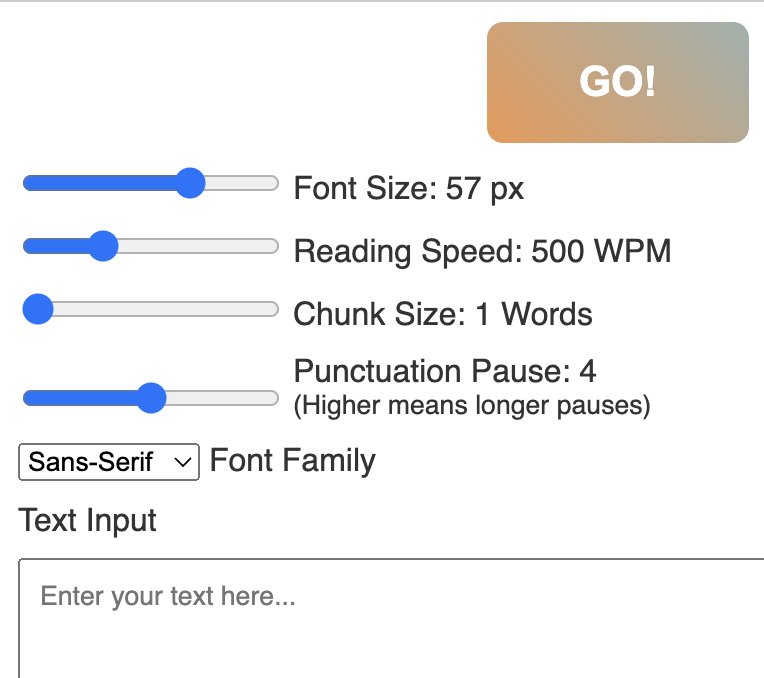
- Set your speed to about 300 WPM, chunk size to 1, and punctuation pause to the default.
- Read a paragraph or two. Re-read it. When it feels easy, nudge the speed up by 25–50 WPM.
- Try the Bionic or dyslexia-friendly font and see which one your eyes prefer.
Want the deeper feature tour? Read our HotGato project page.
The verdict
For students, researchers, lawyers, analysts, and anyone else who reads for a living, HotGato is the best speed reading app in 2026: free, private, open source, and it opens the files you actually need to read. Pay for Spreeder if you want a course; get Outread if you live in Apple’s ecosystem. Everyone else — start reading faster now.